3 PBL Experiences with KUBO and iBlocks
Marketing Team
Blog
Teq Supports District Implementation: Beyond funding guidance, Teq provides turnkey grant alignment, hardware staging, and certified PD coaching via OTISpd.com to ensure 100% classroom adoption.
KUBO across the curriculum
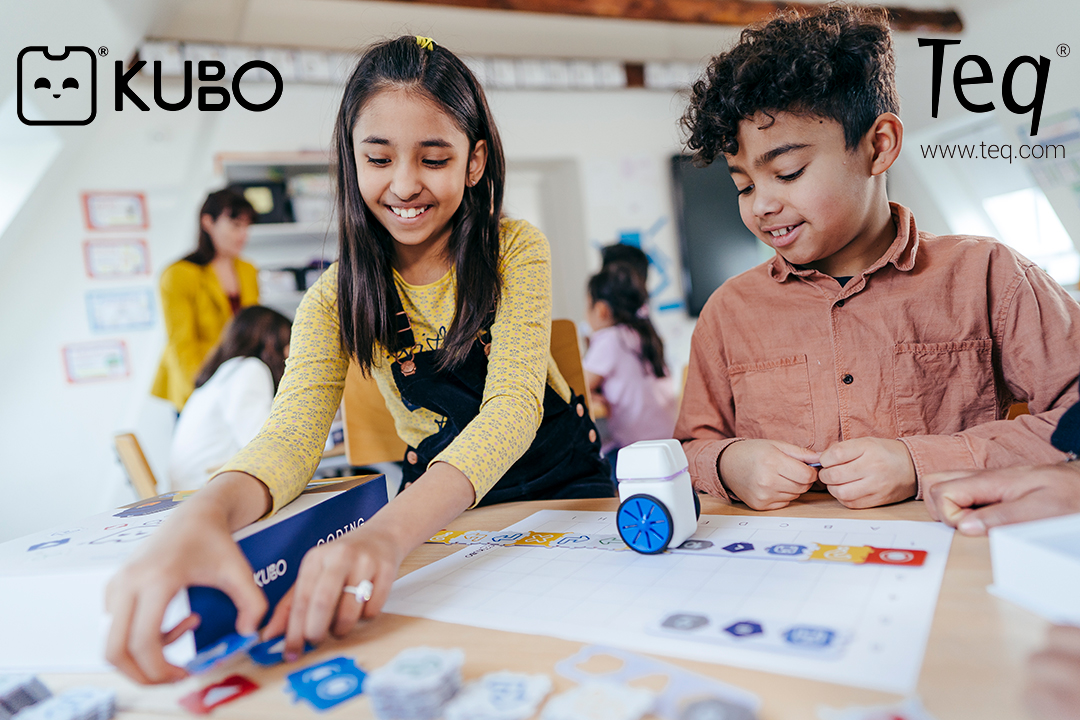
In this blog post, Nicola Kleiser, a teacher and consultant in the UK, shares some of her experiences of using KUBO to teach coding across the curriculum. She demonstrates how KUBO can be used to teach Math including Geometry and Measurement, to recreate the Viking invasion of Britain as well as using KUBO as a random selector. All of these ideas allow students to tackle coding while also working on other important curriculum subjects.
This blog will provide you with ideas to try out in your classroom. Instead of teaching discrete computing lessons, KUBO can enable you to embed computational thinking across the curriculum. Let’s get started!
KUBO can be a great asset when teaching position and direction in Maths (Geometry) using the turn TagTiles® from KUBO Coding+
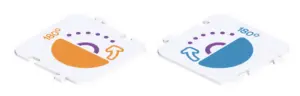
Have KUBO record a function like this before the lesson. The students can then be asked to describe KUBO’s movement when the program is played, without seeing the additional help of the TagTile.
Extend this activity by doing quarter turns using the 90-degree Turn TagTiles. The students can then be challenged to get KUBO to do a three-quarter turn.
As the TagTiles have the degrees printed on them it is really easy to start introducing numbers and mathematical vocabulary. They can also start to distinguish between clockwise and anticlockwise turns.
In the next example, KUBO has been used to teach measurements. To begin with, program KUBO as shown here.
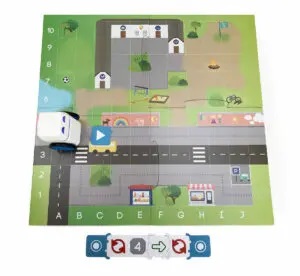
You can also use different KUBO’s to travel different distances. Initially, the students could measure using non-standard units (the squares on the mat) and then move on to measuring in cm. To extend the activity, program KUBO to change direction and measure the total distance traveled. You can also have students set up different programs for each other to measure to make it a playful and collaborative experience.
Another example could be to use KUBO as a random selector. Here KUBO has been programmed to randomly choose the name of a student. Remember to place KUBO on the TagTile facing the same direction he ended his last turn.
This can be used in a wide range of lessons, where students all need to take turns.
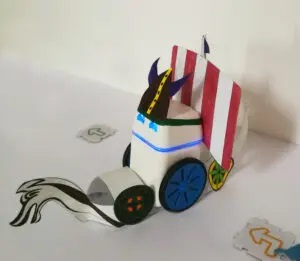
In this last example, I will show you how simple costumes can be made for KUBO using a bit of creativity. You can also use the template on the KUBO portal (you can find a blank costume under the Super Hero Obstacle Course activity). In this example, I have created a costume for KUBO and programmed him to recreate a historic event.
Using a large map, recreate Viking KUBO’s journey from Scandinavia to find new settlements in Saxon Britain.
Want to dress KUBO up as shown here?
For more tips, tricks, and tools for teaching in and out of the classroom, check out more content on the Teq Talk blog or our YouTube channels OTIS for educators and Tequipment.
We also offer virtual professional development, training, and support with OTIS for educators. Explore the technology and strategies that spark student success — no matter where teaching or learning are happening!
Follow us on social:
 edteq
edteq  OTIS4educators | Teq Products | iBlocks
  OTIS4educators | MyTeq
  Teq
Teq
0 thoughts on “3 PBL Experiences with KUBO and iBlocks”
Related Articles & Other Recommended Reading

How to Safely Store Your AR/VR Headsets for the Summer
As the school year comes to a close, properly preparing your AR/VR hardware for summer storage is essential to extending the lifespan of your investment. Taking a few deliberate steps ensures that when teachers and students return in the fall, their headsets, controllers, and charging carts will be clean, functional, and ready for classroom use. […]

Teq Tuesdays: Summer PD Lineup
Summer is here, and so are Teq’s annual summer PD sessions! Join us on select Tuesdays in July and August for a variety of engaging professional learning experiences. Our summer PD lineup this year dives into unlocking the full potential of AI and brushing up on core Google Workspace skills. All sessions will be broadcast […]

What AI Tools Are Teachers Actually Using?
While having a variety of AI tools at your fingertips is helpful, the number of options can feel overwhelming. In our OTIS for educators session, “Demystifying AI Tools,” we’ll dive into the top AI platforms being used in education. We’ll uncover their ideal use cases, abilities, and limitations so that you can find the best fit(s) […]