SMART Notebook Tricks and Tips: Breaking the Shape
Terry VanNoy
PD Specialist
News
Teq Supports District Implementation: Beyond funding guidance, Teq provides turnkey grant alignment, hardware staging, and certified PD coaching via OTISpd.com to ensure 100% classroom adoption.

Have you discovered the “break the shape” trick?
Most people who use SMART Notebook regularly in their teaching know how to resize any shape or picture as an object on their lesson pages. Simply click once on the object and diagonally drag the silver resize button found in the lower right corner. Done this way, the shape retains its proportions – in other words, it keeps its shape as it gets bigger or smaller. Most teachers do this with their geometric shapes or pictures to make them fit better into the lesson space. But, have you discovered the “break the shape” trick?
Here’s how to do it!
Look at the visuals below. In the first example, we are resizing the lion the usual way to make it bigger. In the second example, instead of dragging diagonally up or down, I wiggle it around as the shape gets bigger or smaller to “break the shape.”
Regular resizing:

Breaking the shape:

Curriculum Connections and Classroom Ideas:
Idea #1: Learning about Scale and Proportion
This idea of distorting images on purpose works well in Math classes when you are teaching similarity, proportions, scale factor, and scale drawings.
- Put a picture on the screen and clone it. Put both versions of your picture object side by side and ask students to make it bigger or smaller according to a scale factor. Use the ruler measuring tool in Notebook to help students prove their answer.

- Now break the shape of one of the picture objects and distort it. Have students “rebreak” the shape and set it at the proper size to match the given scale factor.
Idea #2: Guess Who?
Add several animals, country silhouettes, or pictures of famous people to your lesson page. Distort them horizontally and/or vertically so they are difficult to recognize. Have students guess what the image is, then come to the board and distort it back to its regular image. The example below could be from a “Guess the Person” challenge.
(Answer reveal: It’s Winston Churchill)

Idea #3: Tape Diagramming
Another idea from Math class is tape diagrams.
- On a SMART Notebook lesson page, make a silver or gray rectangle that looks like a strip of tape. Clone it once and lighten the color, or even change the solid line style to dashed as you see in the image below.
- Set each tape strip to Infinite Cloner, so both the teacher and students can pull down tape pieces to model math problems similar to ones found in EngageNY.
- If you need a longer or shorter piece of tape, just break the shape (distort it) so that it has a different length but the same height. See my example below:

If you want to learn about other types of instructional technology for your classroom, try signing up for a trial of Online Professional Development. Not only does Teq provide CTLE-approved PD by certified teachers on STEM products, but we also have iBlocks. iBlocks are instructional blocks of content customized to meet the needs of your students. With our help you’ll be using all the STEM equipment you’ve purchased and delivering lessons far beyond your wildest dreams.
0 thoughts on “SMART Notebook Tricks and Tips: Breaking the Shape”
Related Articles & Other Recommended Reading

Reflecting on the Past Year: Questions to Assess Your EdTech Success
Congratulations! You’ve made it to the finish line, and summer is here! All of your diligent work and dedication have paid off, and now it’s time to enjoy your hard-earned rest. After the noise of the previous school year fades, being in the classroom is likely the last thing on your mind. As a former […]
Customer Spotlight: Middletown Township Public Library
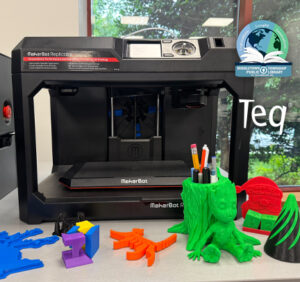
How One Library Built a Community Hub for Creativity, Connection, and Innovation When people think of libraries, they often imagine books, research, and quiet study spaces. At Middletown Township Public Library, those services remain central to the library’s mission, but today’s visitors can also design custom apparel, engrave personalized gifts, create prototypes, and learn new technical […]

How to Safely Store Your AR/VR Headsets for the Summer
As the school year comes to a close, properly preparing your AR/VR hardware for summer storage is essential to extending the lifespan of your investment. Taking a few deliberate steps ensures that when teachers and students return in the fall, their headsets, controllers, and charging carts will be clean, functional, and ready for classroom use. […]