10 Favorite Google Tips and Tricks
Robert Abraham
Instructional Strategist
News
Teq Supports District Implementation: Beyond funding guidance, Teq provides turnkey grant alignment, hardware staging, and certified PD coaching via OTISpd.com to ensure 100% classroom adoption.

Are you ready for some Google tips and tricks? Here are some of our favorites!
Google might be your search engine of choice, but do you know any of these tricks below? From instant weather reports, to stopwatch features, to helpful research tips, read below for some of our favorite Google hacks!
1. Did you know you can use Google as a timer or stopwatch? Enter a search phrase such as “set timer for 15 minutes” and Google will do just that.
2. Use Google for quick conversions of linear or liquid measurements, or even to convert currencies for a social studies lesson. Type in “amount + currency A to currency B” to get your conversion.
3. If you are looking for books by a particular author, type in “books written by + author name.”
4. To find origins of words using Google, type in “etymology + word.”
5. You can search for particular file types in Google by entering “search term + filetype:extension.” For example, to find a Powerpoint file on the Constitution, you would search “Constitution filetype:pptx.”
6. Get a quick weather report when you type in “weather + zipcode”!
7. Ready for some interesting trivia? Learn some random fun facts by simply typing “fun facts” into Google.
8. Did you know you can change your language setting in Google to fun ways of speaking like Muppets (Bork, bork, bork!), Elmer Fudd (Ewmew Fudd), Klingon, and pirate? On the top of your Google homepage, go to My Account. Scroll to the bottom to find Language under Data and Personalization. From here, you can change to your fun and/or make believe language of choice.
9. My, how the internet has changed! Check out what Google looked like in 1998. Type in “Google in 1998” to see it.
10. Sometimes you just need a quick brain break. Type “do a barrel roll” into Google and see what happens.
If you want to learn about other (and possibly more serious) ways to use and integrate instructional technology into your classroom, sign up for a trial of Teq Online Professional Development.
Related Articles & Other Recommended Reading

Reflecting on the Past Year: Questions to Assess Your EdTech Success
Congratulations! You’ve made it to the finish line, and summer is here! All of your diligent work and dedication have paid off, and now it’s time to enjoy your hard-earned rest. After the noise of the previous school year fades, being in the classroom is likely the last thing on your mind. As a former […]
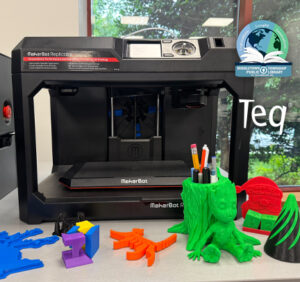
Customer Spotlight: Middletown Township Public Library
How One Library Built a Community Hub for Creativity, Connection, and Innovation When people think of libraries, they often imagine books, research, and quiet study spaces. At Middletown Township Public Library, those services remain central to the library’s mission, but today’s visitors can also design custom apparel, engrave personalized gifts, create prototypes, and learn new technical […]

How to Safely Store Your AR/VR Headsets for the Summer
As the school year comes to a close, properly preparing your AR/VR hardware for summer storage is essential to extending the lifespan of your investment. Taking a few deliberate steps ensures that when teachers and students return in the fall, their headsets, controllers, and charging carts will be clean, functional, and ready for classroom use. […]