Uploading Non-Digital Work to Google Classroom
Patricia Umhafer
PD Specialist
News
Teq Supports District Implementation: Beyond funding guidance, Teq provides turnkey grant alignment, hardware staging, and certified PD coaching via OTISpd.com to ensure 100% classroom adoption.

A paperless classroom
As much as we try to move towards paperless classrooms, sometimes students may need to show work that may not be of the digital form. This could be more tactile and hand-written or hand-created things like art projects, handwriting samples, written out math problems, and a variety of other things. The question is, then, how do we make this work digital so that students can submit digitally?
Good news! Students can do this easily via Google Classroom. Below are some instructions and recommendations on how to get it done.
Here’s how to digitize student work and submit via Google Classroom
1. While in the assignment, make sure to direct students to create and submit their work using Google Slides.
2. When students click on the assignment they are ready to work on, they should click the “Add or create button.”

3. From there they should select “Slides.”

4. Students then have a few options:

5. When done, students should click the “Turn in” button to submit their work.

For teachers, the turned in assignment will appear under student work, where all other assignments appear. With these easy steps and options, students have a quick way to submit their hand-created work digitally, and teachers are able to utilize the benefits of Google Classroom to manage their classrooms.
For more tips and tricks around using technology in the classroom, visit the Teq Talk blog.
0 thoughts on “Uploading Non-Digital Work to Google Classroom”
Related Articles & Other Recommended Reading

Reflecting on the Past Year: Questions to Assess Your EdTech Success
Congratulations! You’ve made it to the finish line, and summer is here! All of your diligent work and dedication have paid off, and now it’s time to enjoy your hard-earned rest. After the noise of the previous school year fades, being in the classroom is likely the last thing on your mind. As a former […]
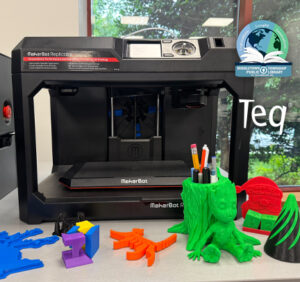
Customer Spotlight: Middletown Township Public Library
How One Library Built a Community Hub for Creativity, Connection, and Innovation When people think of libraries, they often imagine books, research, and quiet study spaces. At Middletown Township Public Library, those services remain central to the library’s mission, but today’s visitors can also design custom apparel, engrave personalized gifts, create prototypes, and learn new technical […]

How to Safely Store Your AR/VR Headsets for the Summer
As the school year comes to a close, properly preparing your AR/VR hardware for summer storage is essential to extending the lifespan of your investment. Taking a few deliberate steps ensures that when teachers and students return in the fall, their headsets, controllers, and charging carts will be clean, functional, and ready for classroom use. […]