Productive Backgrounds in Zoom Meetings
Robert Abraham
Instructional Strategist
News
Teq Supports District Implementation: Beyond funding guidance, Teq provides turnkey grant alignment, hardware staging, and certified PD coaching via OTISpd.com to ensure 100% classroom adoption.

Virtual meetings have become commonplace in our times of virtual and hybrid learning. Teachers and students have worked from home this past year and Google Meet, Microsoft Teams, and Zoom meetings have added many features to meet (pun intended) this need.
One popular feature is the use of a virtual background during the meetings. This feature can be useful to block out your background at home or to add a fun twist to the meeting. However, it can also be useful as a functional tool before and during the meetings.
Here are some productive background ideas for Zoom.
Welcome backgrounds
Have a welcome slide to state the expectations of the meeting as well as any requirements.

“Be Right Back” background
Sometimes you need to step away from the meeting but want others to know it’s still active. Using a BRB message as a background could come in handy. Try a Google Image search for a “Be Right Back Backgrounds.”

The meeting will begin shortly background
It’s polite to let participants who arrive early or on time that the meeting will begin shortly, especially if you’re waiting for other participants to arrive. You can find an image for this on Google Images, or personalize it with the name of the session by creating a Google Slide image to use as a background.

Video backgrounds
In addition to adding images as meeting backgrounds, Zoom (and Google Meet) allows you to use video clips as well! These are a very effective method to enhance a meeting. You can use a YouTube video on a shared screen or a video downloaded on your desktop for interesting effects, including a countdown timer. Here are two fun options:
For more tips, tricks, and tools for teaching in and out of the classroom, check out more articles on the Teq Talk blog.
We also offer virtual professional development, training, and remote learning support for educators with OTIS for educators. Explore the technology, tools, and strategies that can spark student success — no matter where teaching or learning are happening.
0 thoughts on “Productive Backgrounds in Zoom Meetings”
Related Articles & Other Recommended Reading

Reflecting on the Past Year: Questions to Assess Your EdTech Success
Congratulations! You’ve made it to the finish line, and summer is here! All of your diligent work and dedication have paid off, and now it’s time to enjoy your hard-earned rest. After the noise of the previous school year fades, being in the classroom is likely the last thing on your mind. As a former […]
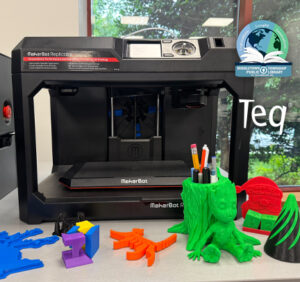
Customer Spotlight: Middletown Township Public Library
How One Library Built a Community Hub for Creativity, Connection, and Innovation When people think of libraries, they often imagine books, research, and quiet study spaces. At Middletown Township Public Library, those services remain central to the library’s mission, but today’s visitors can also design custom apparel, engrave personalized gifts, create prototypes, and learn new technical […]

How to Safely Store Your AR/VR Headsets for the Summer
As the school year comes to a close, properly preparing your AR/VR hardware for summer storage is essential to extending the lifespan of your investment. Taking a few deliberate steps ensures that when teachers and students return in the fall, their headsets, controllers, and charging carts will be clean, functional, and ready for classroom use. […]