Creating Scary Stories with Scratch
Patricia Umhafer
PD Specialist
News
Teq Supports District Implementation: Beyond funding guidance, Teq provides turnkey grant alignment, hardware staging, and certified PD coaching via OTISpd.com to ensure 100% classroom adoption.
Happy Halloween! Storytelling and folklore are Halloween traditions. By using Scratch you can give this centuries-old tradition a modern twist.
Scratch is a free block based coding program developed by MIT. It can be used creatively to create stories and interactive cards, as well as to code products like the Makey Makey or micro:bit. It is geared towards elementary students, but older students and adults can also find it beneficial.
When creating a scary (or not so scary) story with Scratch, there are a few things to consider. First, the students should decide on a theme. This will help them not only in writing the story, but also in selecting backdrops and sprites. Some other things to consider are if the students will be re-telling an old tale, maybe with an alternate ending. Or, will they be creating their own unique stories?
The next thing to think about is what the purpose of the project will be. Will you be using it to assess a student’s proficiency in block based coding, as a capstone project, or is it just for fun? Whatever you decide, you will want to make those expectations clear and create a rubric for any grading.
Once you have decided on the project’s purpose, you will want to make the constraints clear. For example: your story must be unique, include two sprites that interact, and include two background changes. You should also include any requirements around dialogue, costume changes, and sound effects. These requirements should then be reflected in the rubric and assessment.
Telling stories around Halloween can be a super fun activity, and by adding in Scratch, you are now including 21st century and ISTE standards. This is a fun way to take a tradition and add a modern twist.
If you need further instruction on using Scratch, check out our Intro to Scratch course and our Scary Stories with Scratch course.
For more tips, tricks, and tools for teaching in and out of the classroom, check out more articles on the Teq Talk blog.
We also offer virtual professional development, training, and remote learning support for educators with OTIS for educators. Explore the technology, tools, and strategies that can spark student success — no matter where teaching or learning are happening.
0 thoughts on “Creating Scary Stories with Scratch”
Related Articles & Other Recommended Reading

Reflecting on the Past Year: Questions to Assess Your EdTech Success
Congratulations! You’ve made it to the finish line, and summer is here! All of your diligent work and dedication have paid off, and now it’s time to enjoy your hard-earned rest. After the noise of the previous school year fades, being in the classroom is likely the last thing on your mind. As a former […]
Customer Spotlight: Middletown Township Public Library
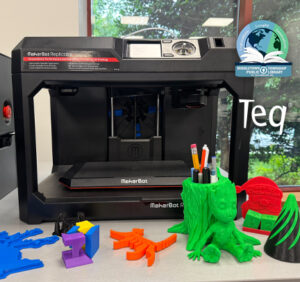
How One Library Built a Community Hub for Creativity, Connection, and Innovation When people think of libraries, they often imagine books, research, and quiet study spaces. At Middletown Township Public Library, those services remain central to the library’s mission, but today’s visitors can also design custom apparel, engrave personalized gifts, create prototypes, and learn new technical […]

How to Safely Store Your AR/VR Headsets for the Summer
As the school year comes to a close, properly preparing your AR/VR hardware for summer storage is essential to extending the lifespan of your investment. Taking a few deliberate steps ensures that when teachers and students return in the fall, their headsets, controllers, and charging carts will be clean, functional, and ready for classroom use. […]