3 Tips for Getting Started with Scratch
Christopher Lozzi
ChristopherLozzi
News
Teq Supports District Implementation: Beyond funding guidance, Teq provides turnkey grant alignment, hardware staging, and certified PD coaching via OTISpd.com to ensure 100% classroom adoption.

Discover the world of coding! Scratch is the world’s largest coding community for children. Originally created for early learners aged 8 to 16, the platform has grown into a massive international community where people of all ages are having fun with coding. Educators currently use it in classrooms all over the world, and students love it just as much as educators. Trying to implement a new product into your classroom can be overwhelming. Luckily, OTIS for educators is here to help you get started with Scratch!
The Massachusetts Institute of Technology (MIT) and a few other notable partners created Scratch, all with the goal of computer science education in mind. It is easily accessible to every learner, regardless of prior coding experience. There is an abundance of resources available on the platform, along with an international community that always shares ideas and tips on how to integrate Scratch as part of your curriculum. So fear not, new Scratcher! Explore our top three tips for getting started with Scratch in your classroom!
-
Starting with the Basics
It sounds like a no-brainer, but unfortunately, the basics are often overlooked. Once students unlock the full potential of Scratch, they’ll be eager to create elaborate games and activities. Although a class of focused students sounds like a dream, here it can lead to sulking and frustration. This is why it’s important to start simple with Scratch’s ready-made tutorials before moving on to more complicated projects.
-
Utilize Scratch Resources
In addition to tutorials, Scratch has coding cards designed to help kids understand computer programming and the meaning of code blocks. The best resource of all (in our humble opinion), Scratch has Educator Guides that include fully planned lessons! Furthermore, these Educator Guides include agendas, pre-implementation checklists, warm-up activities, extensions, and suggestions for sharing after the activity. Search the Extension library to find partner devices that can be coded through Scratch: LEGO Education, Makey Makey, and more. Foster computational thinking, problem-solving, and collaborative skills!
-
Be Active in the Community
As we’ve mentioned, Scratch is a massive international community of coders. If you think about it, most educators were new to Scratch at one point, and most (if not all) of them are eager to help. There are many ways to contribute or receive support from the community, such as the Scratch educators Facebook page and global educator meetups. Check out the site to see if one is happening near you!
Overall, Scratch is a powerful and versatile learning tool that can be used across a vast range of grade levels. Many tools out there utilize Scratch’s block-based coding interface, so by teaching with Scratch, you’ll be giving your students a head start on challenges they will encounter throughout their educational journey.
To see how Scratch can benefit your students in enhancing their coding and computer science skills, visit our online learning platform OTIS for educators and check out our interactive course about Intro to Scratch!
For more tips, tricks, and tools for teaching in and out of the classroom, check out more content on the Teq Talk blog or our YouTube channels OTIS for educators and Tequipment.
We also offer virtual professional development, training, and support with OTIS for educators. Explore the technology and strategies that spark student success — no matter where teaching or learning are happening!
Follow us on social:
 edteq
 OTIS4educators | Teq Products | iBlocks
 MyTeq
 Teq
Related Articles & Other Recommended Reading

Reflecting on the Past Year: Questions to Assess Your EdTech Success
Congratulations! You’ve made it to the finish line, and summer is here! All of your diligent work and dedication have paid off, and now it’s time to enjoy your hard-earned rest. After the noise of the previous school year fades, being in the classroom is likely the last thing on your mind. As a former […]
Customer Spotlight: Middletown Township Public Library
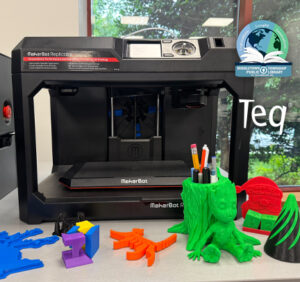
How One Library Built a Community Hub for Creativity, Connection, and Innovation When people think of libraries, they often imagine books, research, and quiet study spaces. At Middletown Township Public Library, those services remain central to the library’s mission, but today’s visitors can also design custom apparel, engrave personalized gifts, create prototypes, and learn new technical […]

How to Safely Store Your AR/VR Headsets for the Summer
As the school year comes to a close, properly preparing your AR/VR hardware for summer storage is essential to extending the lifespan of your investment. Taking a few deliberate steps ensures that when teachers and students return in the fall, their headsets, controllers, and charging carts will be clean, functional, and ready for classroom use. […]