Help Your Students Become SMART Spellers
JoAnndellaBadia
Classroom Tools
Teq Supports District Implementation: Beyond funding guidance, Teq provides turnkey grant alignment, hardware staging, and certified PD coaching via OTISpd.com to ensure 100% classroom adoption.
 SMART Speller is a fun and interactive way for students to improve their literacy skills. Available for free to SMART customers who use a PC, this software can be used during a lesson while connected to a SMART Board. (Logging in to the SMART Exchange is required before downloading the software. If you don’t already have an account, it’s free to create one.)
Away from the SMART Board, you’ll be able to prep for your lesson by using the Options menu to import new word lists or edit an existing word list.
You can easily create your own word list to import, but it must be saved as a .txt file. You have two options:
-
In Microsoft Word, type the title of your list on the first line, then type your word list, choose Save, and select “Plain text” from the “Save as type” options.
-
Open Notepad, type your list with the title on the first line, type your list, then choose Save. This saves as a .txt file by default.
Here are some features in SMART Speller that we think teachers will like:
-
create your own spelling list with picture, words, and even sound
-
access pre-created lists already available in the software
-
display images of the word to be spelled
-
get automatic feedback to correct misspellings or to confirm correct spellings
-
adjust difficulty level
-
can be used even with foreign languages
How would you use the SMART Speller in your instruction?

One thought on “Help Your Students Become SMART Spellers”
-
Pingback: Help Your Students Become SMART Spellers | Tech...
Related Articles & Other Recommended Reading
Customer Spotlight: Middletown Township Public Library
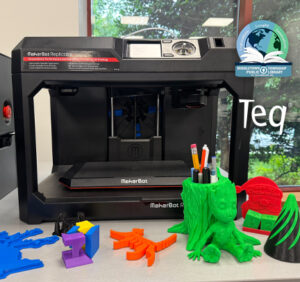
How One Library Built a Community Hub for Creativity, Connection, and Innovation When people think of libraries, they often imagine books, research, and quiet study spaces. At Middletown Township Public Library, those services remain central to the library’s mission, but today’s visitors can also design custom apparel, engrave personalized gifts, create prototypes, and learn new technical […]

How to Safely Store Your AR/VR Headsets for the Summer
As the school year comes to a close, properly preparing your AR/VR hardware for summer storage is essential to extending the lifespan of your investment. Taking a few deliberate steps ensures that when teachers and students return in the fall, their headsets, controllers, and charging carts will be clean, functional, and ready for classroom use. […]

Teq Tuesdays: Summer PD Lineup
Summer is here, and so are Teq’s annual summer PD sessions! Join us on select Tuesdays in July and August for a variety of engaging professional learning experiences. Our summer PD lineup this year dives into unlocking the full potential of AI and brushing up on core Google Workspace skills. All sessions will be broadcast […]