SMART amp Adds New Customized Group Feature
Nina Sclafani
Senior Event Coordinator
News
Teq Supports District Implementation: Beyond funding guidance, Teq provides turnkey grant alignment, hardware staging, and certified PD coaching via OTISpd.com to ensure 100% classroom adoption.
SMART Amp adds new feature to help classroom management and customize instruction
SMART amp, the cloud-based collaboration workspace that allows teachers and students to work together from any web-enabled device, has just added another great feature: “Customize Groups to Hand Out Copies.”
With this feature, teachers will now be able to administer work to individual students, randomly selected groups of students, or groups of students specifically selected by the teacher.
Although sometimes the random selection option can create well-balanced groups, other times a teacher may not want specific students to work together. With SMART amps new customize groups feature, teachers can choose to separate students that may not work well together.
This feature isn’t just for classroom management. Teachers may also want to create custom groups in order to target the different needs of groups of students. For example, if one group needs additional help with topic A, while another group needs help with topic B, you can easily group them together with the customize tool. From there you can send each individual group material targeted to their needs.
How it Works

To create your custom groups, first head over to Hand out copies and select whether you’d like to send the copy to an individual student, or to a new group.

If you select Hand out copies to individual students, a list of your students’ names will appear. Simply select the students you would like to receive the copy and click Hand Out Copies.

If you select Hand out copies to new groups, a list of your students’ names will appear, however this time you’ll have the ability to group them however you’d like. You can either choose random or place specific students into groups. Once your groups are complete, click Hand Out Copies.
To see more of SMART amps excellent features, or to learn how to add an image or Notebook file to your SMART amp, visit our blog. Check out our free SMART amp instructional videos here.
Don’t have SMART amp but would like to try it? Have an administrator contact us by clicking the button below.

0 thoughts on “SMART amp Adds New Customized Group Feature”
Related Articles & Other Recommended Reading

Reflecting on the Past Year: Questions to Assess Your EdTech Success
Congratulations! You’ve made it to the finish line, and summer is here! All of your diligent work and dedication have paid off, and now it’s time to enjoy your hard-earned rest. After the noise of the previous school year fades, being in the classroom is likely the last thing on your mind. As a former […]
Customer Spotlight: Middletown Township Public Library
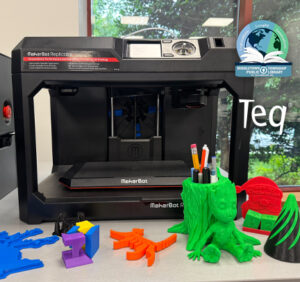
How One Library Built a Community Hub for Creativity, Connection, and Innovation When people think of libraries, they often imagine books, research, and quiet study spaces. At Middletown Township Public Library, those services remain central to the library’s mission, but today’s visitors can also design custom apparel, engrave personalized gifts, create prototypes, and learn new technical […]

How to Safely Store Your AR/VR Headsets for the Summer
As the school year comes to a close, properly preparing your AR/VR hardware for summer storage is essential to extending the lifespan of your investment. Taking a few deliberate steps ensures that when teachers and students return in the fall, their headsets, controllers, and charging carts will be clean, functional, and ready for classroom use. […]