How to Add an Image to a SMART amp Workspace
TimHodkinson
News
Teq Supports District Implementation: Beyond funding guidance, Teq provides turnkey grant alignment, hardware staging, and certified PD coaching via OTISpd.com to ensure 100% classroom adoption.
Few things are as important in the learning process as visual aids. From apples and ants to represent words that start with the letter a, to maps, diagrams and yes, even “selfies,” our brain has sophisticated image recognition capabilities to support learning.
SMART amp collaborative learning software allows users to take full advantage of its ability to support images in a workspace. In the video below, you will see exactly how to add images to a SMART amp workspace from a variety of devices. Whether the image was captured using a mobile device or downloaded from a photo sharing site, users can easily add images that can be seen by collaborators in real time.
Step-by-step
Adding an image is the second option in the SMART amp workspace menu. From a computer, images can be selected from the hard drive, or an external source such as a flash drive. From a mobile device, images can be selected directly from the device’s camera roll.
 Once added to the workspace, the image can be move, scaled, rotated, and locked in place.

You can also add images to SMART amp from the SMART Exchange Gallery, which contains hundreds of useful images for a variety of subject areas and topics.
Have you tried it? Tell us about your experiences using images in SMART amp!

0 thoughts on “How to Add an Image to a SMART amp Workspace”
Related Articles & Other Recommended Reading

Reflecting on the Past Year: Questions to Assess Your EdTech Success
Congratulations! You’ve made it to the finish line, and summer is here! All of your diligent work and dedication have paid off, and now it’s time to enjoy your hard-earned rest. After the noise of the previous school year fades, being in the classroom is likely the last thing on your mind. As a former […]
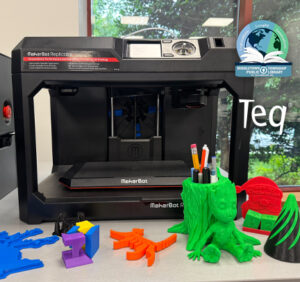
Customer Spotlight: Middletown Township Public Library
How One Library Built a Community Hub for Creativity, Connection, and Innovation When people think of libraries, they often imagine books, research, and quiet study spaces. At Middletown Township Public Library, those services remain central to the library’s mission, but today’s visitors can also design custom apparel, engrave personalized gifts, create prototypes, and learn new technical […]

How to Safely Store Your AR/VR Headsets for the Summer
As the school year comes to a close, properly preparing your AR/VR hardware for summer storage is essential to extending the lifespan of your investment. Taking a few deliberate steps ensures that when teachers and students return in the fall, their headsets, controllers, and charging carts will be clean, functional, and ready for classroom use. […]