How to Create Holiday-Themed Activities Using AI
Christopher Lozzi
ChristopherLozzi
News
Teq Supports District Implementation: Beyond funding guidance, Teq provides turnkey grant alignment, hardware staging, and certified PD coaching via OTISpd.com to ensure 100% classroom adoption.
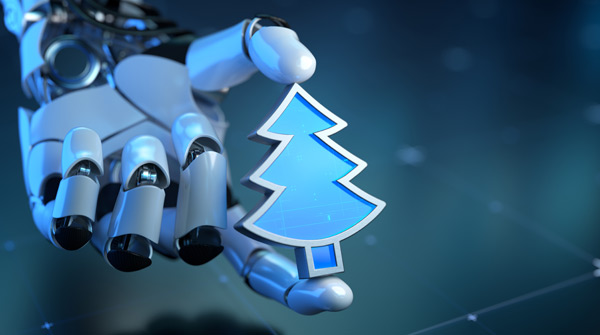
Are you ready to embrace the holiday spirit in your classroom, but don’t know where to start? Let AI be your guide! With fall and the holiday season right around the corner, many teachers find themselves unsure of how to celebrate with their students. One of the biggest challenges is aligning holiday-themed lessons with standards and curriculum. We’re here to help you overcome this challenge with our guide on creating holiday-themed activities using AI!
Brainstorming with AI tools
Google Gemini, ChatGPT, or Co-Pilot? Whichever AI generative tool you prefer, you can create fun, engaging, and curriculum-aligned activities through a simple “conversation.” Start by using one of the prompt ideas below, and then engage in a brainstorming session (like you would with a colleague) to develop a relevant and appropriate lesson your students will love. If you want to step into the future of AI and learn more about Gemini, check out our OTIS course, “Intro to Gemini.”
Prompt ideas
In order to steer your AI output in the right direction, start off by assigning it a “role”. The role should be a title relevant to your goal, like an instructional designer or a co-teacher. Once the role has been established, it’s time to provide the AI tool with context. Lastly, give your AI tool a task that identifies the season or holiday and the activity.
For example, start with:
Example:
“You are an instructional designer at a [high school] engaged in a brainstorming session about developing a lesson plan for a seasonal activity in [Earth Science] class on the topic of [high and low pressure environments].”
Be sure to edit this prompt with your grade level, content area, and topic. Once you’ve established the AI role and context, prompt it with the task:
Example:
“I’d like to implement an engaging lesson relevant to the [season of fall], but aligned with educational standards. Provide several suggestions for interactive lesson or activity ideas.”
Simply replace [season of fall] with your desired season or holiday. These include: Fall, Halloween, Thanksgiving, Winter, Christmas, Hanukkah, Kwanzaa, New Year, etc. For more information on co-planning with AI, check out this OTIS course.

Content adaptation
Feeling anxious about not having enough class time to incorporate a full festive lesson? AI can help you modify existing activities or lessons and align them to seasonal references. For example, you can prompt your preferred AI tool with:
Example:
“Write five unique, imaginative prompts for a short story competition titled ‘If My Favorite Holiday Decoration Came to Life,’ aligning with 7th-grade narrative writing standards.”
Here are some specific prompt suggestions for ways to adapt content using AI:
Math: Create a data set that includes data relevant to [holiday or season].
Science: Design an experiment for [topic] that relates to [holiday or season].
Social Studies: Curate links and resources for a virtual tour of global celebrations during [holiday or season].
ELA: Generate a text for students to analyze based on [holiday or season].
If you’re still feeling stuck, the article, “Winter Holiday Resources to Promote Connection and Inclusion,” from Common Sense Education highlights a variety of holiday resources that promote connection and inclusion. If you find something you like, feel free to add it to your AI tool and ask it to generate a lesson plan or worksheet for you!
An overview of AI
There are so many ways for educators to use AI that, at times, it can feel overwhelming. It’s important to remember a few key things when using an AI tool for holiday-themed activities:
- AI makes mistakes.
- AI is a tool. Don’t rely on it for everything
- Use AI with a specific goal in mind.
- Include a role, context, and task in your initial prompt.
- AI can modify existing resources, not just generate new ones.
Good luck and enjoy the holiday season!
For more tips, tricks, and tools for teaching in and out of the classroom, check out more content on the Teq Talk blog or our YouTube channels OTIS for educators and Tequipment.
We also offer virtual professional development, training, and support with OTIS for educators. Explore the technology and strategies that spark student success — no matter where teaching or learning are happening!
Follow us on social:
 edteq
edteq  OTIS4educators | Teq Products | iBlocks
  MyTeq
MyTeq  Teq
Teq
Related Articles & Other Recommended Reading

How to Safely Store Your AR/VR Headsets for the Summer
As the school year comes to a close, properly preparing your AR/VR hardware for summer storage is essential to extending the lifespan of your investment. Taking a few deliberate steps ensures that when teachers and students return in the fall, their headsets, controllers, and charging carts will be clean, functional, and ready for classroom use. […]
Teq Tuesdays: Summer PD Lineup
Summer is here, and so are Teq’s annual summer PD sessions! Join us on select Tuesdays in July and August for a variety of engaging professional learning experiences. Our summer PD lineup this year dives into unlocking the full potential of AI and brushing up on core Google Workspace skills. All sessions will be broadcast […]

What AI Tools Are Teachers Actually Using?
While having a variety of AI tools at your fingertips is helpful, the number of options can feel overwhelming. In our OTIS for educators session, “Demystifying AI Tools,” we’ll dive into the top AI platforms being used in education. We’ll uncover their ideal use cases, abilities, and limitations so that you can find the best fit(s) […]