Google Classroom and Physical Education
Patricia Umhafer
PD Specialist
News
Teq Supports District Implementation: Beyond funding guidance, Teq provides turnkey grant alignment, hardware staging, and certified PD coaching via OTISpd.com to ensure 100% classroom adoption.

Physical education remains an important part of a student’s education, even if they’re learning remotely. Students might be tempted to become sedentary while at home, but with these tips and tricks for using Google Classroom for PE you can keep them engaged, healthy, and moving.
Post Videos
These can be videos of a specific sport or athlete you are studying, or any exercises you would like your students to learn. These videos can be ones you create yourself or ones found on platforms such as YouTube.
Post Links
You can post links to articles about health and fitness and ask your students to read and respond to these articles. By creating a discussion, you are encouraging students to communicate with each other and engage in the content. You can also post links to exercise sites and videos to keep them moving.
Share Healthy Recipes
This is a great opportunity to share some of your favorites, or have your students share theirs. If you want to get fancy you can record a video of yourself preparing the recipe, and they can do the same. Who knows — maybe one of your students will become the next big Food Network star!
Create Challenges
This is a great way to check in with your students and keep them engaged. Post a new challenge once or twice a day. Challenges can be taking a walk, doing ten push-ups, a one-minute wall sit, etc. Each time a student completes a challenge they gain points. This is a great way to encourage physical fitness — and some friendly competition.
Keep a Log or Plan Book
Students can log and plan their physical activities. This is a great way to create a routine and keep them accountable. It also gives them the opportunity to reflect on their progress.
Provide Feedback
You can privately provide feedback to students.
Discussion Boards
Create and facilitate discussion on health and fitness.
The transition to remote learning can be challenging. Hopefully with these tips you will be able to encourage your students to stay active.
In light of the COVID-19 pandemic impacting our schools and learning, Teq is making all of our PD courses on OTIS for educators FREE to help schools and districts implement distance learning and online professional development.
0 thoughts on “Google Classroom and Physical Education”
Related Articles & Other Recommended Reading
Reflecting on the Past Year: Questions to Assess Your EdTech Success
Congratulations! You’ve made it to the finish line, and summer is here! All of your diligent work and dedication have paid off, and now it’s time to enjoy your hard-earned rest. After the noise of the previous school year fades, being in the classroom is likely the last thing on your mind. As a former […]
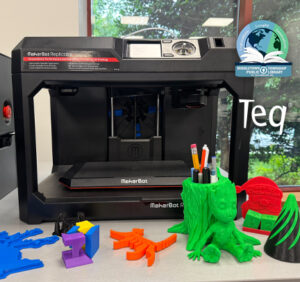
Customer Spotlight: Middletown Township Public Library
How One Library Built a Community Hub for Creativity, Connection, and Innovation When people think of libraries, they often imagine books, research, and quiet study spaces. At Middletown Township Public Library, those services remain central to the library’s mission, but today’s visitors can also design custom apparel, engrave personalized gifts, create prototypes, and learn new technical […]
How to Safely Store Your AR/VR Headsets for the Summer
As the school year comes to a close, properly preparing your AR/VR hardware for summer storage is essential to extending the lifespan of your investment. Taking a few deliberate steps ensures that when teachers and students return in the fall, their headsets, controllers, and charging carts will be clean, functional, and ready for classroom use. […]